SMALL FORM FACTOR BUILDING GUIDE
How to choose a single fan GPU for an SFF PC.
A smaller graphics card can open up your build options. The important checks are physical clearance, airflow and power, not just the number of fans.
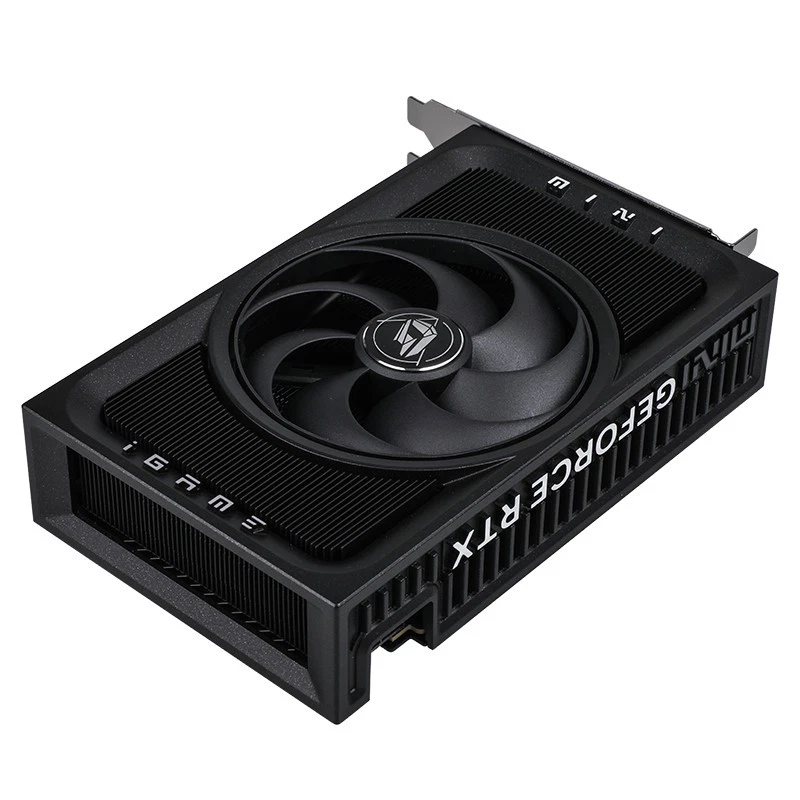
Single fan, SFF and Mini-ITX describe different things.
A single fan GPU uses one cooling fan. SFF means small form factor and describes the compact PC you are building. Mini-ITX is a motherboard form factor. None of these terms, by itself, guarantees that a graphics card fits your case.
Single slot is different again: it describes expansion-slot space. A short single-fan graphics card may still need two slots. Colorful describes the iGame RTX 5060 Ti Mini OC 16GB as a dual-slot design.
| Term | What it tells you | What to check separately |
|---|---|---|
| Single fan GPU | One cooling fan | Card dimensions and slot thickness |
| SFF GPU | A card considered for a compact PC | The exact case's GPU limits |
| Mini-ITX build | The motherboard form factor | Case layout, riser and GPU clearance |
| Single-slot GPU | Expansion-slot space | Length, height and cooler clearance |
A practical SFF GPU clearance checklist.
- Confirm the exact model. Include the cooler variant and memory capacity. An RTX 5060 Ti Mini OC 16GB listing is more specific than "5060 Ti" or "mini GPU".
- Compare length, height and thickness. Use the manufacturer's measurements for the exact card and the GPU limits published for your case.
- Allow room for cables. Check the power connector position and the space needed to route the cable without forcing it against a panel.
- Check the riser and bracket. A sandwich-layout case or a shifted riser can change where the GPU sits. Check the installed position, not just the empty case.
- Keep the fan intake clear. Panels, cables and nearby components can obstruct the area around the cooler.
Manufacturer dimensions can include or exclude the bracket. Confirm which measurement you are comparing before relying on a tight fit.
Consider airflow and total system power.
One fan does not tell you how quiet or cool a card will run in your case. Cooler design, case ventilation, ambient temperature, workload and fan settings all matter. Avoid choosing solely by fan count or assuming that a smaller card will be quieter.
Choose your power supply using the GPU manufacturer's guidance and the demands of the complete system. A 250W supply should not be assumed sufficient simply because a GPU has a compact cooler. Check connectors and input requirements as well as wattage.
If you need a custom GPU cable, record your exact PSU model, GPU model, connector requirements and desired length. Modular PSU pinouts are model-specific, so a connector that fits physically is not enough to establish electrical compatibility.
A single fan RTX 5060 Ti option: iGame Mini OC 16GB.
Our graphics card listing is the Colorful iGame GeForce RTX 5060 Ti Mini OC 16GB: a brand-new single-fan card with 16GB of GDDR7 memory and a dual-slot design. It is listed at US$1,250 plus shipping. The shorter spelling "5060ti" is often used for the model, but the full product name helps distinguish it from other cooler and memory variants.
Review the product photographs and Colorful's manufacturer information, then compare the exact supplied variant with your case. We do not promise universal compatibility with SFF or Mini-ITX cases.
View the RTX 5060 Ti single fan 16GB